
The Arca Blog
Photo privacy guides
Start with your iPhone's built-in controls, work out whether you need a vault, and keep a backup you can recover.
Start here

Guides
How to Hide Photos on iPhone: Hidden Album, Notes, or Vault
Use the locked Hidden album, a locked note, or a separate vault. Choose based on who can unlock your phone and where you want your photos stored.
Security
Are Photo Vault Apps Safe? What to Check Before Importing
Check encryption, recovery, and the copies left outside a vault before trusting an app with your photos.
Guides
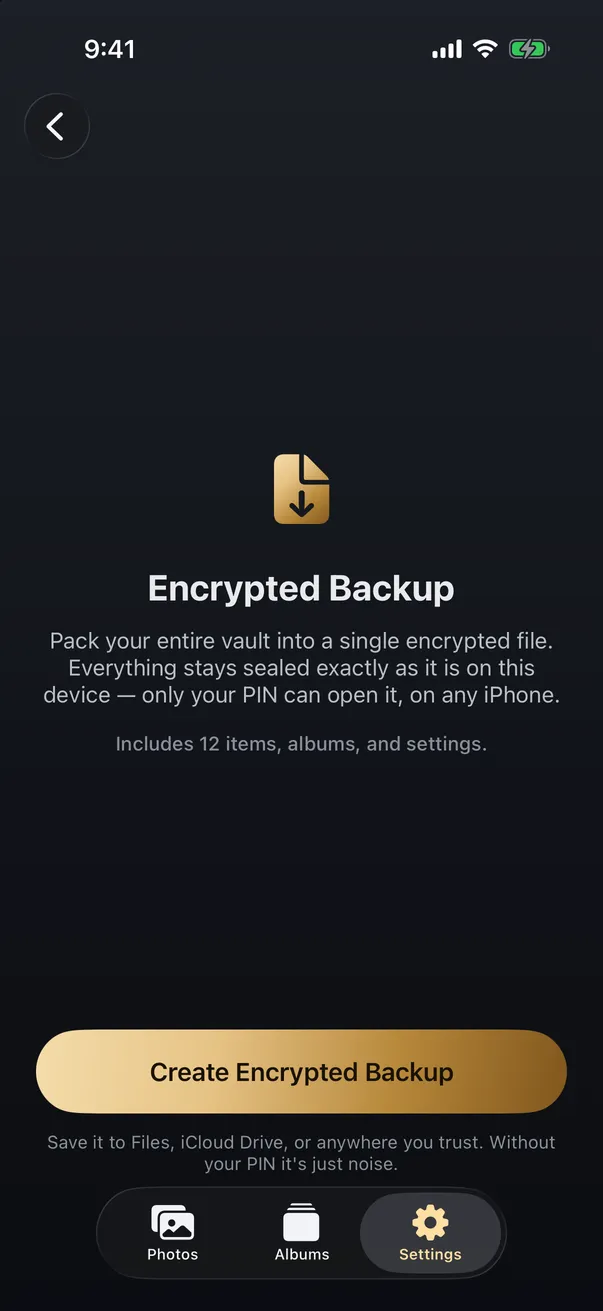
How to Back Up Private Photos Without Trusting the Cloud
You can keep a real backup of your private photos without handing them to a cloud provider. The trick is to encrypt first, then store anywhere.
Hide and protect your photos
Choose a lock, check who can see your library, and manage the copies you share.
-
Does a Calculator Vault Really Hide Your Photos?
A calculator vault hides the app, not the fact that it's installed. Here is what the disguise fools, what gives it away on an iPhone, and why the encryption behind it matters more than the icon.
-
Do Live Photos Record Sound?
A Live Photo is a still image plus about three seconds of video, and that clip carries an audio track. Here's what travels when you share one, and how to send just the picture.
-
Your Photo Widget Is Showing People Your Photos
A Photos widget picks from your whole library and puts the result on a screen anyone can see from across a table. Here's how to narrow what it draws from.
-
How to Find and Take Back Photos You've Shared
Shared albums outlive the occasion, iCloud links run on a 30-day clock, and most people have no idea what's still open. Here's how to audit all of it, and the one thing revoking can't undo.
-
Should You Keep Photos of Your Passport on Your Phone?
Almost everyone has a photo of an ID, a bank card or a document somewhere in their camera roll. The risk is real but it isn't the one the scare articles describe, and the fix takes about ten minutes.
-
Why Your iPhone Keeps Resurfacing Private Photos
Memories, widgets, Spotlight and the lock screen all pull from the same camera roll, which is why a photo you'd forgotten can appear while someone's watching. Here's how to quiet every surface, and what quieting them doesn't fix.
-
Does Apple Scan Your Photos? A Calm, Accurate Answer
Three separate things get mixed together here: on-device analysis, the CSAM plan Apple abandoned, and Enhanced Visual Search. Only one of them contacts Apple's servers, and it's less alarming than the headlines suggested. Here's what each actually does.
-
How to Lend Your iPhone Without Anyone Snooping
Guided Access locks your iPhone to a single app, so the person borrowing it can't wander into Photos or Messages. It takes a minute to set up, and there is one trick that limits them to a single photo. Here is the setup, plus an honest account of what it doesn't cover.
-
What Can Someone See With Your Apple ID?
Your Apple ID is the key to iCloud, not to your whole phone. Someone who signs in as you can reach what's synced to your account, and nothing that never leaves your device. Here's exactly where that line falls, and how to protect it.
-
What Can a Repair Shop See on Your iPhone?
A hardware repair rarely needs your data at all, and a reputable shop won't ask for your passcode. The exposure comes from handing over an unlocked phone. Here's what a repair shop can actually see, and how to hand yours over with nothing to find.
-
How to Tell If Someone Has Been Through Your Phone
The honest answer: iPhone keeps no log of who opened your photos, so you usually can't know for certain. But there are clues worth checking, and a better move than detecting snooping is making it pointless. Here's both.
-
How to Lock the Photos App on iPhone (iOS 18)
iOS 18 lets you lock the Photos app behind Face ID in a few taps, so a borrowed phone can't open your camera roll. It's a genuinely useful step, with real limits. Here's how to do it, and what it does and doesn't protect.
-
How to Keep Photos Private on a Shared iPhone or iCloud
Good news first: Family Sharing doesn't expose your photo library. Real exposure comes from a shared Apple ID, a Shared Photo Library, or a device you hand over. Here's how each works, and how to keep sensitive photos private.
-
How to Send Private Photos Safely (and Keep Control)
The safest way to send a private photo is an end-to-end encrypted app, with the location data stripped first. But the real limit isn't encryption, it's that once a photo leaves your phone, the person you sent it to controls it.
-
Which Apps Can See Your iPhone Photos?
iOS gives each app one of four levels of photo access, and most apps ask for far more than they need. Here's what Full Access really exposes, how to check and change it, and the one move that beats any permission setting.
-
What Can Someone See If They Know Your iPhone Passcode?
Your iPhone passcode is a master key, not just a screen lock. Here's exactly what it opens, what Stolen Device Protection does and doesn't cover, and the one lock a passcode never opens.
-
How to Remove Location Data From Your iPhone Photos
Your iPhone photos quietly store the exact spot where they were taken. Here is how to strip that location before you share a picture, how to switch it off for future shots, and when it actually matters.
-
How to Protect Your Photos If Your iPhone Is Lost or Stolen
Find My and Stolen Device Protection guard your account, but your camera roll still opens with your passcode. Here is how to actually protect private photos if your phone is taken.
-
If You're Forced to Unlock Your Phone: Decoy Vaults and Plausible Deniability
A locked app does not help if someone makes you open it. Here is how decoy vaults and plausible deniability change that calculation.
-
How to Hide Photos on iPhone: Hidden Album, Notes, or Vault
Use the locked Hidden album, a locked note, or a separate vault. Choose based on who can unlock your phone and where you want your photos stored.
-
iPhone Hidden Album: What It Protects and What It Doesn't
The Hidden album provides a real lock. Understand its device authentication, iCloud settings, and the situations where a separate vault helps.
Understand vault security
Compare storage options and learn what encryption can and cannot protect.
-
Is Signal or Telegram a Safe Place for Private Photos?
Sending photos to yourself in a messaging app is one of the most common improvised vaults there is. Signal's version holds up better than most people expect. Telegram's works differently from what most people assume.
-
What the Secure Enclave Actually Protects
It's the chip people cite when they say an iPhone is secure, and it earns the reputation. It also guards keys and biometrics rather than your photo library, and it stops mattering the moment the phone is unlocked. Here is the real boundary.
-
Should You Store Private Photos in a Password Manager?
Password managers encrypt files properly, so storing a few sensitive photos there is a reasonable idea. It stops being reasonable at about a dozen photos, and the reasons are storage caps, workflow, and where the data lives. Here is the honest comparison.
-
Does Lockdown Mode Protect Your Photos?
Lockdown Mode hardens your iPhone against targeted spyware, and it does change a few things about photos. What it does not do is lock, hide, or encrypt your photo library. Here is the honest breakdown of what it covers and what it leaves open.
-
iCloud Advanced Data Protection vs a Photo Vault
Both make your photos more private, but they defend against different threats. Advanced Data Protection encrypts your whole iCloud library in the cloud; a vault seals specific photos on your unlocked device. Here's what each does, and why they work best together.
-
Can AES-256 Encryption Be Cracked?
The short answer: not by attacking the encryption itself. AES-256 is effectively unbreakable by brute force, even against quantum computers. The real weak point is never the cipher; it's your password and how it becomes a key. Here's the honest picture.
-
Can You Hide Photos in the Notes App? (vs a Photo Vault)
Locking a note is real, strong encryption, so hiding a photo in the Notes app genuinely works. But Notes isn't built to be a photo vault. Here's exactly what it protects, where it falls short, and when a dedicated vault fits better.
-
How Does Photo Vault Encryption Actually Work?
A photo vault turns your pictures into unreadable scramble that only your PIN can undo. Here's the actual chain, from your PIN to a stretched key to the cipher that locks each photo, in plain language.
-
On-Device vs Cloud Encryption for Private Photos
Both can be genuinely private, but they protect you differently. On-device encryption keeps everything on your phone with no server involved; an encrypted cloud adds sync and recovery in exchange for trusting a provider. Here's how to choose.
-
Is a 6-Digit Passcode Enough to Secure Your iPhone?
For most people, a random 6-digit passcode is genuinely strong, because the iPhone's Secure Enclave slows every guess down. The real weakness is a guessable PIN, not the number of digits. Here's how the protection works and when a longer passcode is worth it.
-
Google Photos Locked Folder vs a Photo Vault: Which Is Safer?
Google Photos Locked Folder hides sensitive photos behind Face ID, which is genuinely handy. But it isn't end-to-end encrypted, and backed-up photos sit on Google's servers. Here's how it compares to an on-device vault.
-
How Secure Is Face ID? (And When a Passcode Is Safer)
Face ID is very hard for a stranger to beat, but it's a convenience layer over your passcode, not a replacement for it. Here's how it really works, where it's weaker than you'd think, and when a passcode protects you better.
-
iOS 18 App Lock vs a Photo Vault: Which Is More Private?
iOS 18 can lock the Photos app behind Face ID, so is a separate vault app still worth it? Here's exactly what the built-in lock does, where it stops, and when moving photos into an encrypted vault actually buys you more privacy.
-
Can Someone Access Your iPhone Photos Remotely?
Over-the-air 'hacking' is rare. Remote access to your iPhone photos almost always means your iCloud account was compromised. Here's what's actually possible, what's a myth, and how to shut the real risks down.
-
iCloud Advanced Data Protection: What It Does and Doesn't
Advanced Data Protection end-to-end encrypts your iCloud Photos so not even Apple can read them. Here is what it covers, how to switch it on, and the one threat it was never built to stop.
-
Where Should You Store Private Photos? iCloud vs a Vault App vs Offline
iCloud is convenient, a vault app adds a separate lock, and offline storage is the most private. The right home for a private photo depends on what you are protecting it from. Here is how the four options really compare.
-
Are Photo Vault Apps Safe? What to Check Before Importing
Check encryption, recovery, and the copies left outside a vault before trusting an app with your photos.
-
The Best Private Photo Vault Apps for iPhone in 2026
A balanced buyer's guide to private photo vault apps for iPhone, with the criteria that actually matter and an honest look at the tradeoffs.
-
"Military-Grade Encryption": What It Actually Means (and Doesn't)
"Military-grade encryption" is a marketing phrase, not a security guarantee. Here is what the term hides and what to ask instead.
-
Zero-Knowledge Encryption, Explained Simply
What zero-knowledge encryption really means, why 'we can't read your data' deserves scrutiny, and the one tradeoff you have to accept.
Back up, move, or recover photos
Plan for a new phone, a forgotten PIN, or deleting an app before your only copy is gone.
-
Forgot Your Photo Vault Password? What Recovery Means
It depends on what the password was doing. If the app only checked it at the door, a reset is usually possible. If it is the key that encrypts your photos, nobody can reset it, the developer included. How to tell which you have, what to try in order, and exactly what Arca can and cannot do.
-
What Happens to Your Photos If You Delete a Photo Vault App?
The app's data goes with the app. Vault photos live in the app's own container, not in Photos, so removing the app removes them. Whether you get them back depends on something you did before you tapped delete.
-
Is Your Photo Vault Included in Your iPhone Backup?
Every no-server app tells you to keep your own backup, and almost none explain what your iPhone backup already does or doesn't contain. The answer decides whether a restored phone gives you your vault back.
-
How to Permanently Delete Photos From Your iPhone
Deleting a photo doesn't remove it right away, and even after it's gone from your phone, copies can linger in iCloud, backups, and shared albums. Here's how to permanently delete a photo everywhere it actually lives.
-
How to Move Your Private Photos to a New iPhone
iCloud photos move themselves to a new iPhone, but that means they live in the cloud. Photos kept off the cloud, or in a vault, need a deliberate local move. Here's how to transfer private photos without exposing them.
-
How to Wipe Your iPhone Before Selling It
Selling or trading in your iPhone? Here's how to erase it so your photos and data are gone for good, why an iPhone reset is genuinely secure, and the one step people forget that leaves a copy behind.
-
How to Stop iPhone Photos From Syncing to iCloud
Want your photos off Apple's servers? Here is how to stop iPhone photos from syncing to iCloud without losing them, what actually happens to your existing library, and the trade-off you take on.
-
Can Someone Recover Deleted Photos From Your iPhone?
Deleting a photo rarely makes it instantly unrecoverable. For 30 days it sits in Recently Deleted, and copies can linger in backups and iCloud. Here is what is really recoverable, and what is not.
-
How to Back Up Private Photos Without Trusting the Cloud
You can keep a real backup of your private photos without handing them to a cloud provider. The trick is to encrypt first, then store anywhere.
Save and manage online media
Find downloaded files, troubleshoot playback, and understand download privacy.
Looking for the web downloader? It now lives at PocketTok.
-
Why Won't a Video From X Download?
A video on X can refuse to download even when the post is public. Usually it's one of five things: a protected account, a sensitive-media flag, a deleted post, a quoted post, or a link card that was never an X video.
-
How to Find Where a Downloaded Video Came From
Most downloaded videos carry their source in the filename: a post ID, a shortcode or a handle. Here is how to turn each one back into the original link, and what to do when the name is gone.
-
Is a Reels Downloader App Safe? What to Check First
Most Reels downloader apps are not malware. The risk is in what they ask for: your Instagram login, full Photos access, a weekly subscription. Here is what to check on the App Store page before you install one.
-
Can You Get the Song Out of a YouTube Short?
Not as a clean track. A Short's audio is one mixed stream, with the music, the voice and the effects bounced together before YouTube ever served it. Here is what a download actually hands you, and where the song really lives.
-
Your MP3 Downloaded. Why Isn't It in the Music App?
The file is fine. It landed in Files, and the Music app never reads Files. Here is what plays an MP3 on an iPhone, and why the converter you used was only ever doing half the job.
-
Same Clip, Four Platforms: Which Copy Should You Save?
One clip, four places, four different files. The Reel comes back at 1080x1920, the TikTok it was reposted from at 576x1024, the Facebook copy usually at 720p. Where you copy the link from decides what you keep.
-
Why One Video Downloads in Seconds and Another Takes Minutes
Two downloads on the same phone, the same wifi, the same afternoon, and one of them takes forty times longer. Almost none of that gap is your connection. Here is what the wait is actually made of.
-
Why Instagram Story Downloaders Ask for Your Login
A Reel has a public address anyone can fetch. A Story does not. That single difference is why every tool promising Stories eventually asks you to sign in, and why the sign-in box is the part worth walking away from.
-
Is a GitHub Video Downloader Safe to Use?
Safer than a random downloader site on one specific axis, because the script runs on your own machine and your link never passes through anyone else's server. The risk does not vanish, though. It moves to which repository you installed, and to the fact that none of it runs on a phone.
-
Which Link Should You Copy to Download a Video?
Whatever the Share menu hands you, tracking tail and all. The links that fail are failing for a different reason: they point at a playlist, a profile, or something behind a login. Here is the shape each platform expects.
-
Is a WAV Download Better Than MP3?
No. A WAV made from a YouTube or SoundCloud download is a compressed stream unpacked into a bigger container, not a better recording. Here is what the conversion actually changes, and the narrow case where WAV is still the file you want.
-
Can You Download a Whole Instagram Carousel?
Yes, but not as one file. A carousel is several separate photos and videos behind a single URL, so a downloader returns them as items you pick from. What each slide type gives you, and why the sites promising a one-click zip are building it themselves.
-
Can You Save a TikTok as a Live Photo?
Yes, but not with a downloader. TikTok's share sheet exports a Live Photo, and that is the only file iOS will accept as an animated Lock Screen. A downloaded MP4 is a video, and the wallpaper picker will never see it.
-
Does a Downloaded Video Say Anything About You?
People reach for a metadata remover after saving a video, expecting to scrub themselves out of the file. There is usually nothing of theirs in it. The thing that knows something is further upstream.
-
Why the GIF You Saved Is a Video File
You asked for a GIF and got an MP4. That swap did not happen during the download. Platforms convert uploaded GIFs to silent looping video, so the GIF was gone long before you pasted the link anywhere.
-
Why Video Downloader Sites Keep Disappearing
Rarely for one reason. Platforms change how video is delivered, the servers these tools run on get blocked by the hosts they fetch from, and the domains rotate faster than search results update. Here is what actually breaks, and why the name you remember is the riskiest part.
-
Can You Still Download Facebook Videos in a Browser?
Yes, for public videos, but not the way you remember. The mbasic long-press trick died when Meta retired the basic site in December 2024. What a browser download looks like now, the line it cannot cross, and where the file ends up.
-
Can You Download a TikTok Slideshow?
Not as a video, because there isn't one. A TikTok slideshow is a set of photos and a sound, played by the app. What the sites that hand you an MP4 are really doing, what Arca's TikTok tools return, and the two routes that actually work.
-
Can You Download a YouTube Playlist as MP3 on iPhone?
Not in one step. Downloaders take one video at a time, and a playlist link has no video in it. What each link type returns, where the rights question lands, and the fastest way to work through a playlist by hand.
-
Is a Video Downloader Browser Extension Safe?
An extension that saves videos has to read every page you open, and it can change what it does months after you install it. What the permission means, what happened to 130,000 people this spring, and what to use instead.
-
Does a Download Keep Going When You Lock Your Phone?
Sometimes, and it depends on the app rather than the file. Here is what locking, app-switching and force-quitting each do to a transfer in progress.
-
MP3 or MP4: Which Should You Download?
MP4 is the safe default, because the choice only runs one way. Here is when audio-only is the better call, and why some platforms can serve one format and not the other.
-
Why Won't a Downloaded Video Play on Your iPhone?
Almost always the file is a WebM or an MKV, and iOS has no player for either. The download worked. The format is wrong for the device, and converting it afterwards costs you picture quality.
-
Why a Downloaded Video Still Has a Watermark
Three different things get called a watermark, and only two of them can ever come off. Here is how to tell which one you are looking at before you go hunting for a tool that removes it.
-
How Much Space Do Downloaded Videos Take?
File size is bitrate times length, not resolution. Here are the numbers to expect per minute, and the part people miss — where those megabytes actually land on an iPhone.
-
Why Some Videos Never Download, No Matter the Tool
Most download failures are the same failure wearing different clothes: the video needs someone to be logged in. Here are the three classes of failure, and which of them a tool can legitimately fix.
-
Do Downloaded Videos Actually Work Offline?
A file on your device plays with no connection. An in-app download from a subscription service is a licensed copy that has to check in, and it stops playing when it cannot. Here is the difference, and what still breaks a real file.
-
Screen Recording vs Downloading a Video: Which Is Better?
Screen recording re-films your display, so it inherits your screen resolution and everything else on it. Downloading keeps the file as published. Here is when each one is the right tool, and the part nobody mentions about where the result lands.
-
Does Downloading a Video Notify the Person Who Posted It?
No, and it is not close. The poster learns nothing when you save a public post. The narrow exception is disappearing messages, and the more interesting question is who else is watching.
-
Why Downloaded Videos Have No Subtitles
Most captions you see while watching were never part of the video file. They are drawn by the player or generated on a server, and neither travels with a download.
-
Why Does Downloading a Video Take Longer Than Watching It?
Streaming and downloading are not the same job. One fetches the smallest piece it can get away with, the other fetches everything at full quality — and waits on a step you never see.
-
What Happens to a Saved Video When the Original Is Deleted?
It depends entirely on whether you saved a copy or saved a pointer. Most of the things people call saving are pointers, and pointers die with the post.
-
Why Your Downloaded Video Looks Worse Than You Expected
The platform compressed it on upload, long before you downloaded anything. What you can retrieve is the platform's copy, not the creator's original — and no tool can undo that.
-
Why Your Downloaded Video Has No Sound
Four different causes, and they need different fixes. The most common one is that the platform never stored the video and its audio as a single file in the first place.
-
Where Do Downloaded Videos Go on iPhone?
Three different places, depending on how you saved it, and they have very different privacy consequences. Here's how to find a video you've lost and how to decide where the next one lands.
-
Are Free Video Downloader Sites Safe?
The risk in a free downloader is rarely the video file. It's the page around it, the installer it offers you, and the fact that somebody has to pay for the bandwidth. Here's what happens to the link you paste, and the checks that take nine seconds.
Your photos. Truly private.
Keep your photos in an encrypted vault on your iPhone, with no Arca account or automatic vault upload.
Free to download · iPhone · iOS 18+