
Guides
Can You Still Download Facebook Videos in a Browser?
Yes, for public videos, but not the way you remember. The mbasic long-press trick died when Meta retired the basic site in December 2024. What a browser download looks like now, the line it cannot cross, and where the file ends up.
Yes, for public videos. What changed is the route. The old browser trick, swapping www for mbasic and long-pressing the video to save it, stopped working when Meta retired the basic site in December 2024. A browser download now means pasting the link into a downloader page in Safari, and the file lands in Files, not Photos.
Why the mbasic trick stopped working
For years the browser answer was one URL edit. Facebook kept a stripped-down site at mbasic.facebook.com for old phones, and it served videos as plain files instead of through Facebook’s player, so holding one in the browser offered to save it. And because you were logged in, friends-only videos saved too.
In November 2024 Meta announced that the basic site would be retired on December 3, and it was. The address still loads, but it serves the ordinary login page. That is likely why searches for a browser-based Facebook downloader have climbed in recent months. The method that needed nothing but a browser is gone.
What a browser download looks like now
| Route | Still works | What you get |
|---|---|---|
| Swap www for mbasic, long-press | No | Nothing. The basic site is retired |
| Facebook’s Save button | Yes | A bookmark inside Facebook, not a file |
| Facebook’s own Download on your uploads | Yes, your videos only | An SD or HD file of a video you posted |
| A downloader page in Safari | Yes, public videos | An MP4 in Files, usually 720p |
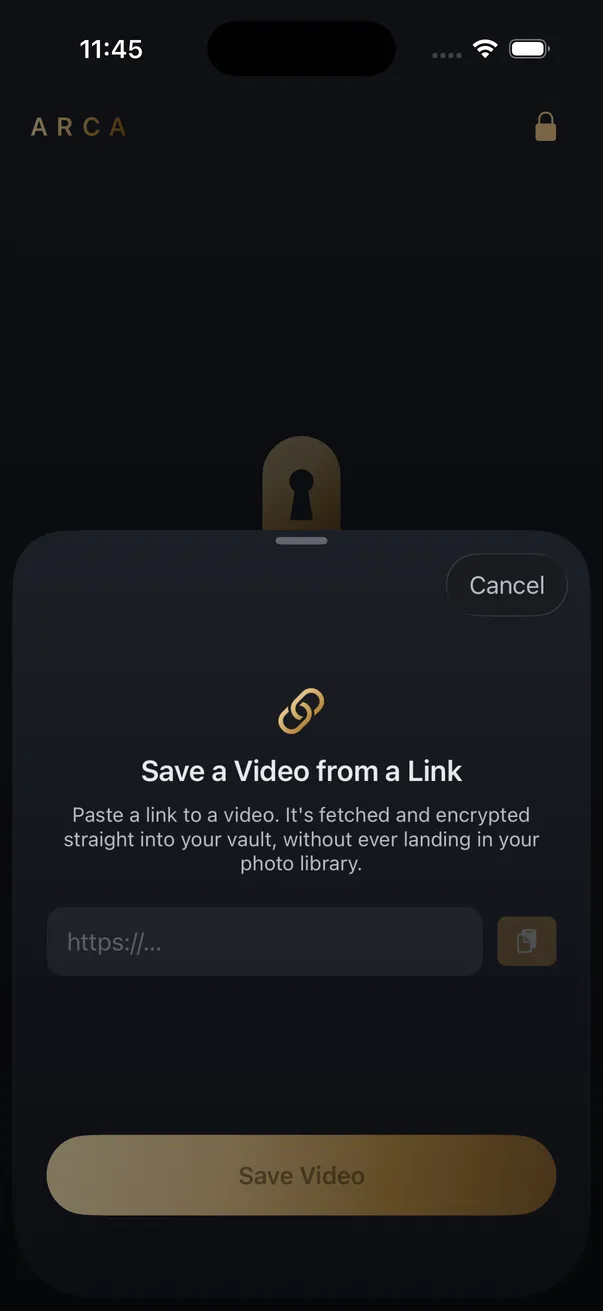
| Arca’s Save from Link | Yes, public videos | The MP4 encrypted inside the vault |
The Safari row is the one most people mean. Copy the link from Share, paste it into a page like the Facebook downloader, and Safari asks whether to download the file. It goes to the Downloads folder in Files, not to Photos. Where do downloaded videos go on iPhone covers finding it and changing that folder.
Expect 720p. Facebook keeps several renditions of a video and does not always expose the sharpest one to visitors who are not logged in, and a downloader page is exactly that kind of visitor. The sharper version you watched while signed in sits behind a session that no honest tool has.
The line a browser cannot cross
The mbasic trick had one property no downloader page can copy: it fetched the video as you, so anything you could see, you could save. A downloader page fetches as a stranger. If a video is limited to friends, a private group, or a custom audience, the page gets nothing. The other failure classes are in why some videos never download.
The quick way to know in advance is the logged-out test:
- Open the video’s link in a private browsing window.
- If it plays without asking you to sign in, a downloader page can fetch it.
- If you hit a login prompt, the video is restricted to an audience the page is not part of.
Some downloader apps get around this by asking you to log in to Facebook inside their own built-in browser. That hands the app your Facebook session, and everything the session can see, in exchange for one video. Treat that prompt like a random website asking for your Facebook password.
None of this changes what you may keep: your own uploads, videos the poster is happy for you to have, and public posts for personal offline use. Facebook’s terms still apply to you, and a saved file does not come with the right to repost it.
Keeping the file out of Files
An MP4 in Downloads is readable by every app you have given Files access, and it rides along into iCloud Drive or your iPhone backup as an ordinary file. The app route avoids that. Share the link from the Facebook app to Arca, or paste it into Save from Link. The share extension says Saved for later, and the download runs the next time you unlock the vault. The file is encrypted on your phone as it arrives and never passes through Photos or Files.
Two limits apply. Link downloads are a premium feature, and the app saves video only. And the friends-only line is the same: a restricted video fails here as it does everywhere else.
Frequently asked questions
Does the mbasic trick still work for Facebook videos? +
No. Meta retired the basic site on December 3, 2024. The address still loads, but it serves the regular login page, and the plain video file you could long-press went with it. Any guide that still tells you to swap www for mbasic is out of date.
Can a browser downloader save a friends-only Facebook video? +
No. A downloader page fetches the video as a logged-out visitor, so anything you can only see because you are a friend or a group member is invisible to it. The mbasic trick only worked because your own login was doing the fetching. Ask the person who posted it for the file.
Can Arca save a Facebook video? +
Public videos, yes. Share the link from the Facebook app to Arca, or paste it into Save from Link. The extension says Saved for later, and the download runs the next time you unlock the vault, encrypted on your phone and never in Photos or Files. Link downloads are a premium feature, and friends-only videos fail here for the same reason they fail everywhere.
Keep reading
Guides
Which Link Should You Copy to Download a Video?
Whatever the Share menu hands you, tracking tail and all. The links that fail are failing for a different reason: they point at a playlist, a profile, or something behind a login. Here is the shape each platform expects.

Guides
Can You Download a Whole Instagram Carousel?
Yes, but not as one file. A carousel is several separate photos and videos behind a single URL, so a downloader returns them as items you pick from. What each slide type gives you, and why the sites promising a one-click zip are building it themselves.
Guides
Why Video Downloader Sites Keep Disappearing
Rarely for one reason. Platforms change how video is delivered, the servers these tools run on get blocked by the hosts they fetch from, and the domains rotate faster than search results update. Here is what actually breaks, and why the name you remember is the riskiest part.
Your photos. Truly private.
Keep your photos in an encrypted vault on your iPhone, with no Arca account or automatic vault upload.
Free to download · iPhone · iOS 18+