
Guides
Why Your Downloaded Video Has No Sound
Four different causes, and they need different fixes. The most common one is that the platform never stored the video and its audio as a single file in the first place.
Usually because the platform stored the picture and the sound as two separate streams, and whatever you downloaded with grabbed only the first one. That’s the common case. The other three are a mute setting you didn’t notice, a source video that was silent already, and a playback problem on your end.
The short answer
A silent download is rarely a corrupted file. It’s almost always a file that is exactly what it claims to be, a video stream with no audio stream attached, and the question is why.
The four causes are easy to tell apart once you know they exist, and only one of them is worth re-downloading over.
The two-stream problem
This is the cause behind most silent downloads, and it explains the pattern people find baffling, where the 360p version has sound and the 1080p version doesn’t.
Streaming platforms don’t store one file per video. They store a ladder of separate video streams at different resolutions plus separate audio streams, and your browser assembles them on the fly while you watch. Low resolutions are often still available as a single combined file, which is why a low-quality download tends to arrive intact.
Above that, a downloader has to fetch two files and merge them into one container before handing it to you. Tools that skip the merge step, usually the quick browser-based ones, give you the video stream alone. It plays fine. It is silent, permanently, and no amount of turning the volume up will help.
There’s an economic reason this keeps happening rather than a technical one. Merging two streams costs the operator server time on every single download, while handing over the video stream alone costs almost nothing and finishes faster. A tool funded by the ads around it has every incentive to look instant, and the silent file is the bill arriving later. It’s the same incentive structure we went through in are free video downloader sites safe.
The tell is that the file plays smoothly at full resolution with no audio track at all, rather than quiet or crackly audio.
You may have asked for it
Worth ruling out early because it’s the fastest fix.
Plenty of downloaders offer mode switches, and they are not always obvious. An audio-only mode gives you an MP3 with no picture, and a mute or video-only mode does the reverse. If you or a previous setting selected one of those, the tool did exactly what it was told.
Note also that some platforms only support one direction. TikTok, for example, has no audio-only path in our tooling, so the TikTok downloader always returns video with AAC audio in an MP4. YouTube goes the other way and has a dedicated MP3 route alongside the normal video one.
The source was already silent
Before blaming any tool, play the original post with your volume up.
Two ordinary situations produce a genuinely silent source. Some clips are uploaded without an audio track at all, which is common for screen recordings, text-on-screen posts and looping visual clips. And platforms sometimes mute a post themselves after a music-rights claim, leaving the video up with the sound stripped out.
In both cases every downloader will hand you a silent file, correctly, because that is the video.
Nothing is wrong with the file
Sometimes the download is perfect and the playback isn’t.
- The silent switch or volume. Obvious, and still the answer more often than anyone admits.
- Audio routed elsewhere. Bluetooth headphones or a speaker that connected quietly in another room.
- A codec the player won’t decode. A
.webmfile with Opus audio plays silently, or refuses entirely, in players that expect MP4 with AAC. Downloading the MP4 version solves it.
That last one is worth knowing because it looks identical to the two-stream problem from the outside. The difference is that the file will usually play with sound in a different app.
Working out which one you have
| What you see | Likely cause | What to do |
|---|---|---|
| High-res file silent, low-res file fine | Streams never merged | Re-download with a tool that merges |
| MP3 with no picture, or video with no audio | A mode was set | Switch the mode and try again |
| Original post is silent too | Source has no audio | Nothing to fix |
| Silent in one app, fine in another | Codec or container | Get the MP4 version |
Where Arca fits
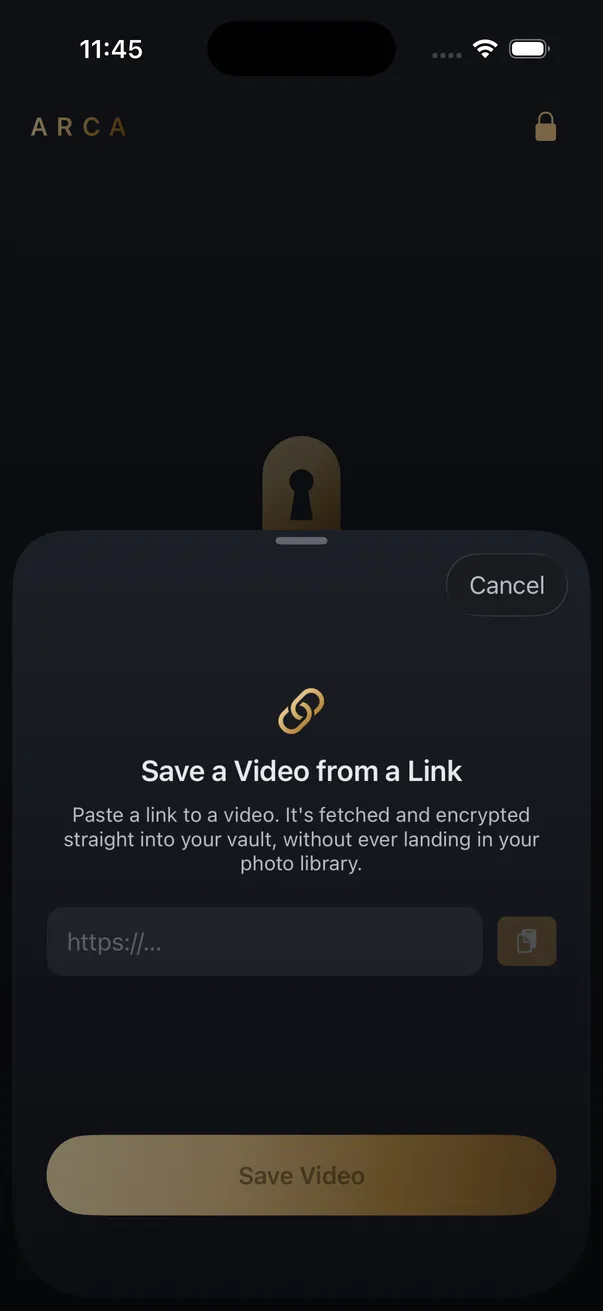
Arca’s Save from Link hands back a finished file rather than a raw stream: an H.264 MP4 with its audio track attached, at the source resolution up to a 1080p ceiling, with nothing upscaled.
The file goes straight into the encrypted vault instead of your Camera Roll. Each one is encrypted individually with AES-256-GCM, with the key derived from your PIN using Argon2id, and everything stays in the app’s container on your device with no automatic vault upload or Arca account. The full model is on our security page.
Stated plainly, as always: the vault protects what you put in it, not what’s already in your camera roll, and it protects files at rest rather than while one is open in front of someone. With no hosted copy of the vault, nothing is recoverable if you forget your PIN.
One more thing worth saying. Save what you have the right to save — your own uploads, content a platform’s own tools let you download, public posts kept for personal offline viewing. Platform terms still apply to you whichever tool you use.
Get Arca on the App Store to save videos from a link, with sound, straight into an encrypted vault on your iPhone.
Frequently asked questions
Why do high-quality downloads lose sound but low-quality ones don't? +
Because of how the platform stores them. Below roughly 720p a single file usually holds both picture and sound, so grabbing it gets you everything. Above that, most platforms keep video and audio as separate streams that have to be combined after downloading. A tool that skips the merge hands you the video stream on its own, which plays perfectly and silently.
Can a silent downloaded file be fixed afterwards? +
Only by downloading it again from a tool that merges properly. The audio is not hidden inside the file at a lower volume, it was never in there. Re-downloading at a lower resolution often works as a quick test, because the single-file versions include sound.
How do I know if the original video was silent? +
Play the post on the platform with your volume up before blaming the download. Plenty of clips are uploaded without an audio track, and platforms sometimes mute a post themselves over a music-rights claim. If the source is silent, every downloader on earth will hand you a silent file.
Keep reading
Guides
Why Video Downloader Sites Keep Disappearing
Rarely for one reason. Platforms change how video is delivered, the servers these tools run on get blocked by the hosts they fetch from, and the domains rotate faster than search results update. Here is what actually breaks, and why the name you remember is the riskiest part.
Guides
Why Some Videos Never Download, No Matter the Tool
Most download failures are the same failure wearing different clothes: the video needs someone to be logged in. Here are the three classes of failure, and which of them a tool can legitimately fix.
Guides
Why Downloaded Videos Have No Subtitles
Most captions you see while watching were never part of the video file. They are drawn by the player or generated on a server, and neither travels with a download.
Your photos. Truly private.
Keep your photos in an encrypted vault on your iPhone, with no Arca account or automatic vault upload.
Free to download · iPhone · iOS 18+