
Security
Are Free Video Downloader Sites Safe?
The risk in a free downloader is rarely the video file. It's the page around it, the installer it offers you, and the fact that somebody has to pay for the bandwidth. Here's what happens to the link you paste, and the checks that take nine seconds.
Some are. Most are not, and the danger is rarely the video file itself. It’s the page wrapped around it, the installer offered instead of your file, and the simple fact that bandwidth costs money, so something has to pay for it. Before you paste a link, know who sees that URL.
The short answer
A free video downloader is a business, even when it looks like a favor. Someone is paying for servers that pull down a 200 MB file and push it back out to you, and that cost is recovered somewhere. Usually in the ad slots, sometimes in an installer, occasionally in data.
Which of those it is determines your actual risk. That’s the useful question, and it’s more informative than asking whether downloaders in general are “safe”, because the category contains both a static page that streams you a file and a desktop program that asks for administrator rights.
The rest of this is what happens behind the paste, how the three kinds differ, and what the recent warnings did and did not say.
What happens to the link you paste
The mechanics are worth understanding once, because they explain every risk that follows.
You paste a URL. That URL goes to a server, and not the video platform’s. It goes to whoever runs the downloader. That server asks the platform for the video’s underlying media files, picks a quality, sometimes stitches separate audio and video streams back together, and returns either the file or a temporary link to it.
Three consequences fall out of that, and they are true of every downloader on the internet, including ours:
- The operator sees the URL. Which video, at what time, from your IP address.
- The file passes through their infrastructure. Not your browser reaching YouTube directly. Someone else’s machine sits in the middle.
- You are trusting the bytes they hand back. In almost every case that’s the video. It doesn’t have to be.
None of that is sinister on its own. It’s just how link extraction works. It does mean the operator’s incentives matter more than their interface, which is the part most “best downloader” lists skip entirely.
Three kinds of video downloader, three different risks
These get lumped together and shouldn’t be. The gap between the safest and the riskiest option is much wider than the gap between any two websites.
| Type | What it can reach | Realistic worst case | Cheap check |
|---|---|---|---|
| Web tool | The link you paste, your IP | A fake download button in an ad slot hands you an .exe | Does it ever offer you anything but the file? |
| Desktop installer | Everything your user account can | Bundleware, adware, a background process you didn’t agree to | Is it open source or from a named company? |
| Browser extension | Every page you visit, in every tab | Silent injection or resale after the extension changes hands | Read the permission prompt, not the review score |
| Phone app | Whatever you grant it | Broad photo library access it never needed | Check what it asks for on first launch |
The extension row is the one people underrate. A downloader extension typically asks to “read and change all your data on the websites you visit”, because it has to inspect pages to find media. That’s the permission a banking page also lives behind. Extensions also change owners quietly, and the new owner inherits an install base that already granted everything.
The web tool row is the mildest, which is why it’s what we built. A page that can only hand you a file has a small blast radius. The trouble is that the blast radius grows the moment the page is surrounded by ads it doesn’t control.
What the FBI and Microsoft warnings actually said
Two 2025 advisories get cited constantly in this space, usually stretched past what they claim. Here is the accurate version of each.
The FBI’s Denver field office warned in March 2025 that a scam using free online file converter tools had become widespread. The pattern: the tool does the advertised job, and the file you get back carries malware that gives an attacker access to your machine, with ransomware as a documented outcome. The alert notes that some of these sites pose as MP3 or MP4 downloaders, and that submitted files can be scraped for personal information such as social security numbers and dates of birth. The advice was to verify the tool before using it and to report incidents to ic3.gov.
Microsoft Threat Intelligence published a campaign writeup the same month, tracking activity it calls Storm-0408 that reached close to a million devices. The entry point was illegal streaming sites carrying malvertising redirectors, which bounced visitors through intermediary pages to info-stealer payloads hosted on GitHub, Dropbox and Discord.
Note what that second one is and isn’t. It’s a streaming-site campaign, not a downloader-site campaign. It matters here because it’s the same economic neighborhood: pages monetized by whichever ad network will take them, where the ad layer, not the content, is the attack surface. That’s the mechanism worth carrying away. On an ad-funded page, the most dangerous element is often the one the operator never wrote.
How a free downloader pays for itself
Follow the money and the risk profile falls out of it. There are four models, and you can usually identify which one you’re on within a few seconds.
Ad-funded. The default. Fine when the operator runs a couple of clean placements, bad when they’ve sold every slot to a network that accepts anything. The tell is button ambiguity: if you can’t immediately identify which of the four green buttons is yours, the layout is working as designed and it isn’t designed for you.
Installer-funded. The site offers a small helper application “for faster downloads” or to handle a format the browser supposedly can’t. This is the model behind most of what the FBI alert describes. A browser can save an .mp4 without help.
Data-funded. Accounts, email capture, an aggressive analytics stack. A one-off download does not need an identity attached to it. When one is requested anyway, the download is not the product.
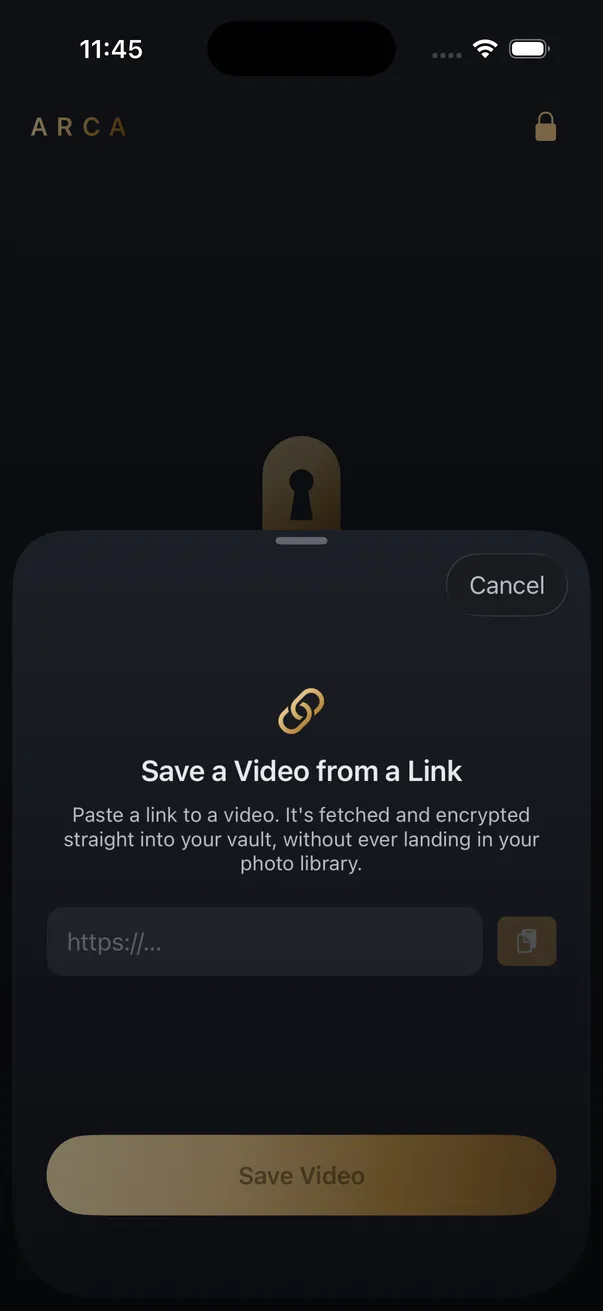
Funded by something else. The tool exists to demonstrate a paid product, or an individual runs it for their own reasons and eats the bill. Open-source command-line tools like yt-dlp sit here, with no ad layer at all, and are genuinely the safest option if you’re comfortable in a terminal. Our own downloader sits here too. It exists because the Arca iPhone app has the same link-saving feature built in, and a working demo makes that point better than a screenshot does.
None of these four is automatically malicious. But the first two pay per click and per install, and paying per click is what puts an unvetted third party in charge of the biggest button on the page.
Nine seconds of checks before you paste
Not a security audit. Just the things that separate an ordinary tool from one worth closing.
- Count the download buttons. One is correct. Four means the ad slots are dressed as your file.
- Watch for a redirect. A new tab opening before your file arrives is the malvertising pattern in miniature.
- Refuse the installer. If the file requires a helper app, you don’t need the file that badly.
- Check what arrives. You asked for a video, so the extension should be .mp4, .webm, .mp3 or similar. Never .exe, .dmg, .msi or .scr.
- Skip anything wanting an account. For a single download there’s no reason.
- Read the permission prompt on extensions. Access to every site you visit is a large price for a convenience.
- Look for a plain answer on retention. Does the site say whether it keeps your files? A missing answer is an answer.
- Consider the link’s sensitivity. Public music video, no issue. Unlisted family video or a work recording, think first.
- Keep your own defenses on. An ad blocker removes most of the surface described above before you ever see it.
Steps one through four cover the overwhelming majority of real incidents. They’re also free.
The legal part, briefly
Worth being straight about, because most pages in this niche either ignore it or bury it.
Downloading your own uploads is fine. Public-domain material and content explicitly licensed to allow it are fine. A commercially released film or track you have no rights to is not, wherever you happen to live, and most platforms separately restrict downloading in their terms of service, which bind you regardless of which tool you use.
We won’t help with the other category. Nothing here explains how to get past DRM, a paywall, a private account or an age gate, and Arca’s link saving can’t reach content behind a login either. Whether a specific download is permitted is your call to make, and it’s yours to answer for.
Where Arca fits
Fair is fair, so here’s our own tool measured against the checklist above.
The free downloader on this site is a web tool, the mildest of the four types. There are no accounts, no extension and no installer, so it never asks you for anything except the link. The file streams through the server to your browser and is not written to disk or retained. Nothing is added to it — if a video has a username burned into the frames, the platform put it there and no downloader can remove it without re-encoding. Per-platform notes, including the limits, live on the individual pages such as the YouTube downloader and the TikTok downloader.
What we can’t claim: the resolver still sees the URL you paste. Every downloader’s does, ours included, and any page telling you otherwise is describing something other than how this works.
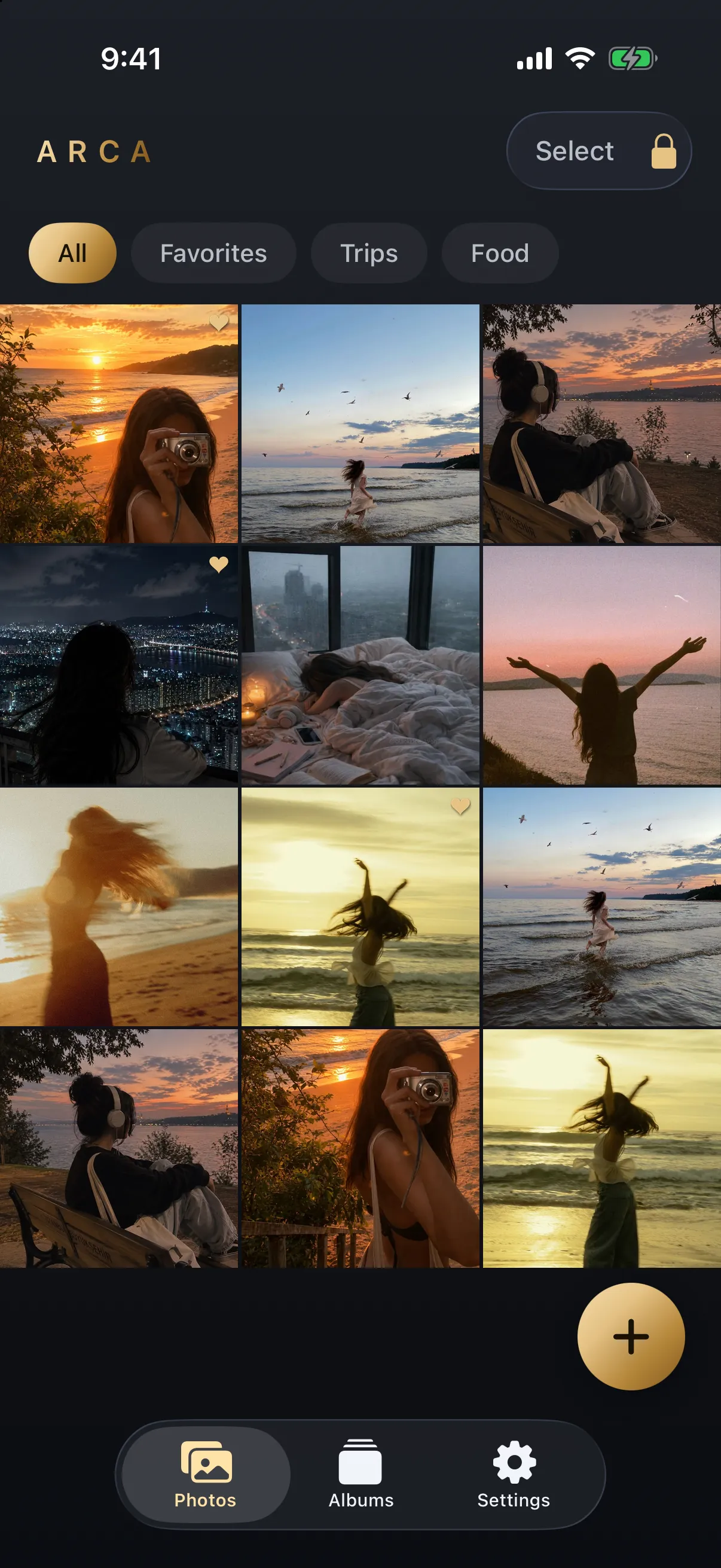
The iPhone app closes the other half of the gap. Share a link to Arca and the video lands inside the encrypted vault rather than in your Camera Roll, which is the part that matters if a saved video is one you’d rather not scroll past while showing someone a photo. Inside the vault each file is encrypted with AES-256-GCM, with the key derived from your PIN using Argon2id, and everything stays in the app’s container on your device. The full model is on the security page.
The limits, plainly. A vault protects what you put in it, not what’s already in the camera roll. It protects at rest, not while it’s open in front of someone. There’s no server holding your vault and no account, which also means we can’t recover anything if you forget your PIN.
So: are free video downloader sites safe? The good ones are boring. They take a link, hand back a file, and never once ask you to install something. Everything in this article is a way of noticing when that isn’t what’s happening.
Get Arca on the App Store to save videos straight into an encrypted vault on your iPhone, with no automatic vault upload or Arca account.
Frequently asked questions
Can a video downloader actually give you a virus? +
The video file itself almost never carries one. What carries one is the installer a site offers you instead of the file, the fake download button planted in an ad slot, or the browser extension you were nudged to add. The FBI's Denver field office warned in March 2025 that free converter and downloader tools were being used this way, with the delivered file quietly carrying malware. A tool that hands you an .mp4 in the browser and nothing else has very little room to do that.
Is it safe to paste a private or unlisted link into a downloader? +
Treat an unlisted link as something you are handing to a stranger. Any downloader has to send that URL to a server that can fetch the video, so the operator sees the address, your IP and the time. For a public music video that is uninteresting. For an unlisted family video or an internal company recording it is a real disclosure, and no downloader can undo it after the fact.
Do downloader sites keep copies of what you download? +
Some do, some don't, and most never say. The honest signal is whether the site publishes a plain answer to that question and whether it asks you to make an account. A tool that wants a signup for a one-off download is collecting something it does not need. Ours streams the file through and keeps nothing, which we say on the downloader page because a claim you cannot find is a claim nobody made.
Keep reading
Security
Is a Video Downloader Browser Extension Safe?
An extension that saves videos has to read every page you open, and it can change what it does months after you install it. What the permission means, what happened to 130,000 people this spring, and what to use instead.
Guides
Why Video Downloader Sites Keep Disappearing
Rarely for one reason. Platforms change how video is delivered, the servers these tools run on get blocked by the hosts they fetch from, and the domains rotate faster than search results update. Here is what actually breaks, and why the name you remember is the riskiest part.

Guides
How to Find Where a Downloaded Video Came From
Most downloaded videos carry their source in the filename: a post ID, a shortcode or a handle. Here is how to turn each one back into the original link, and what to do when the name is gone.
Your photos. Truly private.
Keep your photos in an encrypted vault on your iPhone, with no Arca account or automatic vault upload.
Free to download · iPhone · iOS 18+