
Privacy
What Happens to Your Photos If You Delete a Photo Vault App?
The app's data goes with the app. Vault photos live in the app's own container, not in Photos, so removing the app removes them. Whether you get them back depends on something you did before you tapped delete.
Deleting the app deletes its data with it. A vault keeps photos inside the app’s own container rather than in Photos, so removing the app removes them. Whether you can get them back depends entirely on something you did beforehand, an export file or a device backup taken while the app was still installed.
Why vault photos go with the app
A vault is not a folder inside Photos. That is the whole point of it, and also why deletion behaves the way it does.
When you move a photo into a vault, the file is written into storage belonging to that app alone. It is not in your camera roll, so it does not sync or surface in search. The trade is that iOS treats those files as part of the app, and removing the app takes the container with it.

Delete and offload are not the same thing
iOS gives you two ways to remove an app, and only one of them keeps your data.
| What you do | What happens to vault photos | Get them back? |
|---|---|---|
| Offload App | App removed, its documents and data kept | Yes, reinstalling restores them |
| Delete App | App and its container both removed | Only from an earlier export or backup |
| Reinstall after deleting | A fresh, empty container | No, downloading it again restores nothing |
| Restore a backup made before deleting | Container returns if that app’s data was in it | Depends on the app |
Offload lives in Settings under iPhone Storage, and if storage is your reason for removing a vault app, it is the option you want.
Whether a backup helps is app-specific, because developers can flag files to be excluded and some privacy apps do. We worked through it in is your photo vault included in your iPhone backup.
What recovery tools can actually do
Search this question and most of the results are recovery software promising to scan your phone and pull deleted vault photos back out. Be skeptical of that promise for an encrypted vault.
Those tools work by finding data that still exists somewhere: a backup, a synced copy, storage the system has not yet reused. Once iOS removes an app container the files are not on the device to find, and for an encrypted vault anything surviving would be ciphertext without the key. The realistic recovery path is not a scanner but an export or backup you made while the app was still there.
Do this before you delete anything
Five minutes beforehand is the difference between a move and a loss.
- Export the vault to a file you control, and confirm the file exists before deleting anything.
- Check the backup question for your specific app rather than assuming your iCloud backup covers it.
- Move anything you want to keep in Photos back out deliberately, not by accident.
Where Arca fits
Arca does not keep a hosted copy of your vault. Deleting the app can therefore destroy your only copy. Backups and originals you saved elsewhere remain there until you delete them.
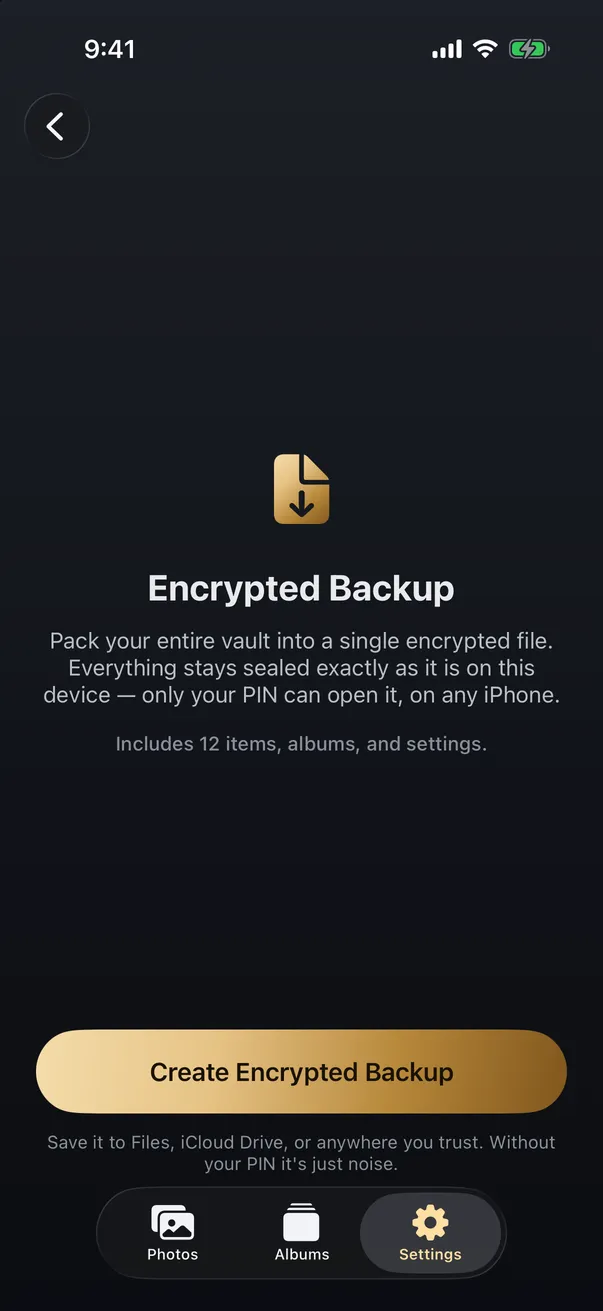
So the app gives you an explicit export rather than leaving you to guess at backup behaviour. It produces a single .arcavault file holding your encrypted photos, videos, thumbnails and metadata, sealed with the same protection as the vault. It is ciphertext, useless to anyone without your PIN, and you choose where it goes: Files, iCloud Drive, an external drive. Restoring it on a new phone brings your originals back at full quality, walked through in how to back up private photos without trusting the cloud.
The limits, plainly as always. Arca protects the photos you actually move into it, not the ones still in your camera roll, and protects them at rest rather than while the vault is open in front of someone. Without a recovery key, we cannot recover anything if you forget your PIN or lose your only copy. The security page sets out the model and what it does not cover.
Get Arca on the App Store to keep private photos in an encrypted vault with an export you control.
Frequently asked questions
If I delete a photo vault app, are the photos gone? +
From the device, yes. Vault photos live inside the app's own container rather than in Photos, and iOS removes that container when you delete the app. They come back only from something made earlier, an export file or a device backup taken while the app was still installed.
Does reinstalling the app bring my photos back? +
No. Reinstalling gives you a fresh, empty container. The app is the same app, but the data that was deleted with it is not recreated by downloading it again. Only restoring a backup or importing an export file returns the photos.
Is offloading an app the same as deleting it? +
No, and the difference matters here. Offloading removes the app itself but keeps its documents and data, so reinstalling restores everything. Deleting removes both. If you only need storage space back, offload is the safe option.
Keep reading
Guides
How to Move Your Private Photos to a New iPhone
iCloud photos move themselves to a new iPhone, but that means they live in the cloud. Photos kept off the cloud, or in a vault, need a deliberate local move. Here's how to transfer private photos without exposing them.
Privacy
Can Someone Recover Deleted Photos From Your iPhone?
Deleting a photo rarely makes it instantly unrecoverable. For 30 days it sits in Recently Deleted, and copies can linger in backups and iCloud. Here is what is really recoverable, and what is not.
Guides
How to Back Up Private Photos Without Trusting the Cloud
You can keep a real backup of your private photos without handing them to a cloud provider. The trick is to encrypt first, then store anywhere.
Your photos. Truly private.
Keep your photos in an encrypted vault on your iPhone, with no Arca account or automatic vault upload.
Free to download · iPhone · iOS 18+