
Privacy
What Can Someone See If They Know Your iPhone Passcode?
Your iPhone passcode is a master key, not just a screen lock. Here's exactly what it opens, what Stolen Device Protection does and doesn't cover, and the one lock a passcode never opens.
If someone knows your iPhone passcode, they can open almost everything: your photos, the Hidden album, Messages, Notes, and every login saved in the Passwords app. On many iPhones they can also change your Apple Account password and switch off Find My. The passcode isn’t just a screen lock. It’s the master key to the whole device.
Your passcode is a master key, not just a screen lock
Most people think of the passcode as the thing that gets them past the lock screen. It’s really much more than that. It’s the credential iOS falls back on for almost every protected corner of the phone, which means one short number unlocks a surprising amount at once.
Here’s the practical reality of what opens the moment someone types your passcode:
| What they can open | Why |
|---|---|
| All your photos and videos | The Photos app unlocks with the phone |
| The Hidden album | It’s protected by the same Face ID or passcode, not a separate one |
| Saved passwords and passkeys | The Passwords app opens with Face ID or the passcode |
| Messages, Mail, and Notes | Standard apps ride on the device lock |
| Locked notes (in most setups) | Locked Notes commonly fall back to the device passcode |
| Safari history and open tabs | Nothing extra stands in the way |
None of this is a flaw. It’s the deliberate design of a device meant to be convenient for its owner. But it reframes the passcode. Think of it less as one lock among many and more as the lock that quietly opens most of the others.
One row in that table deserves its own moment: the Passwords app. Since iOS 18, every login, passkey, and saved Wi-Fi password you’ve stored lives there, and it opens with the same device passcode. That quietly turns one number into a skeleton key that reaches past the phone. With your saved passwords visible, someone can sign into your email, and from your inbox they can trigger “forgot password” resets almost anywhere else. The exposure doesn’t stop at the edge of the device; it extends to every account that trusts that inbox.
The bigger exposure: your Apple Account
The photos and messages are the obvious part. The less obvious, and more serious, part is what the passcode lets someone do to your account. On many iPhones, the device passcode alone is enough to change your Apple Account password from within Settings.
Follow that thread and the stakes get clear. Change the Apple Account password and a person can turn off Find My, sign you out of your other devices, and lock you out of your own account, all without ever knowing your old password. This isn’t a hypothetical exploit; it’s documented behavior that Apple itself moved to address, because a stolen phone plus a shoulder-surfed passcode was a genuine account-takeover path.
It’s worth sitting with what account control actually means, because it’s larger than the phone in your hand. The Apple Account holds your iCloud photo library, iMessage tied to your number, your app purchases, and the power to locate or remotely erase your other devices. A lost phone is replaceable and, with Find My, often recoverable. A lost account is a different kind of problem, because it can take away the very tools you’d use to get back in.
The takeaway isn’t panic. It’s perspective. The passcode protects far more than the screen, so it deserves to be treated like the important secret it is, not typed openly on a crowded train.
Stolen Device Protection helps, but only sometimes
Apple added Stolen Device Protection in iOS 17.3, and it directly targets the problem above. When it’s on, the most sensitive actions get two extra guardrails, but with an important limit worth understanding before you rely on it.
The guardrails are these. Accessing saved passwords and cards requires Face ID or Touch ID with no passcode fallback, so a thief’s known passcode isn’t enough. And the most sensitive account changes, like altering your Apple Account password, require a one-hour security delay: a biometric scan, an hour’s wait, then a second scan.
Here’s the limit. These extra requirements only kick in when your iPhone is away from familiar locations such as home or work. Your phone learns where you spend time and relaxes the rules there. That’s convenient, but it means Stolen Device Protection is built for the stranger-grabs-your-phone case, not the person-you-know-at-home case. And crucially, it guards your account, not your everyday content. Even with it on, your Photos, Hidden album, and Messages still open with the passcode wherever you are. It’s a genuinely good feature to enable, just not a wall around your private pictures.
Face ID doesn’t change the math
It’s tempting to think Face ID or Touch ID adds a separate layer of protection. For the photos that matter most, it doesn’t. Biometrics are a convenience layer sitting on top of the passcode, and they always fall back to it.
That fallback is by design, so you’re never locked out of your own phone if a scan fails. But it also means the passcode is the real key and the face scan is just a shortcut. Anyone who has the passcode can bypass Face ID entirely, unlock the phone, and reach the Hidden album, which is exactly why we’ve written before that the iPhone Hidden album isn’t as private as it looks. A lock that opens with the same secret as the front door isn’t a second lock at all.
How people actually end up knowing your passcode
This isn’t usually about hackers. The passcode leaks in ordinary, human ways, and naming them takes the mystery out of it:
- Shoulder-surfing. Someone watches you type it at a cafe, on a train, or across a dinner table. Six digits are easy to catch.
- Sharing that made sense once. You gave it to a partner, a family member, or a roommate at a moment when trust was total, and circumstances later changed.
- Repairs and setup. A phone handed over for a fix, or set up by someone else, passes through other hands.
- Pressure. Being compelled to reveal it, which is a category of its own; we cover the plausible-deniability options for that in what to do if you’re forced to unlock your phone.
The point of listing these isn’t paranoia. A passcode is far more likely to be seen or shared than cracked, and once it’s out, everything that rides on it is out too.
What you can put behind a second, different lock
If the passcode is the master key, a longer passcode doesn’t fix much. What actually helps is making sure your most sensitive things sit behind a different secret the passcode can’t open. A few concrete moves, from easiest to strongest:
- Turn on Stolen Device Protection. Settings, then Face ID & Passcode. It closes the account-takeover path for a stolen phone, which is worth doing regardless.
- Use a custom password on locked Notes. For the notes that matter, set a note-specific password instead of the device passcode default, so the phone’s key doesn’t open them.
- Keep sensitive photos out of the main library. The Hidden album still lives inside Photos and can sync to iCloud. Moving the truly private few into a separate encrypted space takes them off that shared key entirely, an idea we expand on in protecting your photos if your iPhone is lost or stolen.
- Add a vault with its own PIN. For the handful of images where “someone scrolling my phone” isn’t the only worry, a dedicated vault gives them a lock that the device passcode simply doesn’t fit.
The theme across all four is the same: separate the keys. The more your most private content depends on the one number everyone around you can watch you type, the more a single leak exposes at once.
Where a vault fits, and what it honestly does not do
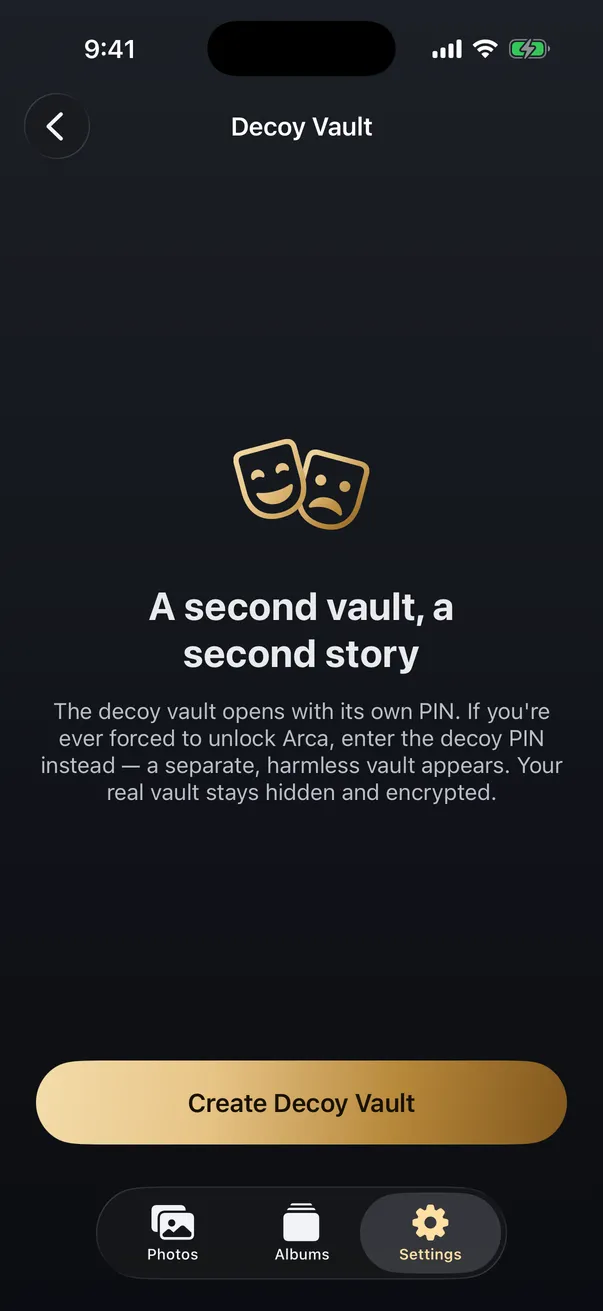
A photo vault is the clearest example of a second, independent lock, so it’s worth being precise about the model. Arca keeps a chosen set of photos in an on-device vault encrypted with AES-256-GCM, and the key is derived from a separate PIN using Argon2id, a deliberately slow function that makes guessing the PIN expensive. Arca does not automatically upload your vault or keep a company-hosted copy of that library. Because the PIN is its own secret, someone who knows your device passcode still meets a locked door, and a decoy vault can open a harmless set under a second PIN if you’re ever pressured to unlock.
What it does not do, stated plainly: it doesn’t protect the photos you leave in the regular camera roll, it can’t help if you willingly open the real vault under duress, which is the entire reason the decoy exists, and it isn’t a backup, so you still keep copies of anything you can’t afford to lose. A vault solves exactly one problem: it gives your most sensitive photos a lock that isn’t your phone’s master key. That’s the whole point, and it’s worth not overselling past it.
The honest bottom line
For most people, most of the time, the device passcode is fine, and Face ID makes it pleasant to live with. The perspective shift is simply this: that one number is not a screen lock, it’s the master key to your photos, your accounts, and your saved passwords all at once. Treat it accordingly. Turn on Stolen Device Protection, be careful where you type it, and for the small set of things you’d never want anyone to reach, put them behind a second lock that opens with a different secret. Separate keys, not a single one everyone can watch you press, is what turns a stolen or shared passcode from a total exposure into a limited one.
Frequently asked questions
Can someone change my Apple ID password with just my iPhone passcode? +
On many iPhones, yes. The device passcode can reset your Apple Account password and turn off Find My, unless Stolen Device Protection is on and you are away from a familiar location like home or work. That exposure is the exact reason Apple introduced the feature in iOS 17.3.
Does Face ID protect my photos if someone knows my passcode? +
No. Face ID and Touch ID always fall back to the passcode, so anyone who knows it can unlock the phone and open Photos, including the Hidden album, which uses the same authentication. Biometrics add convenience, but the passcode remains the ultimate key underneath them.
What can't someone open with my iPhone passcode? +
Anything protected by a separate secret the passcode does not unlock. A locked note with its own password, or a photo vault app like Arca that uses its own PIN, stays closed even when the phone is open. The device passcode unlocks the phone, not a second, independent lock inside it.
Keep reading
Privacy
Should You Keep Photos of Your Passport on Your Phone?
Almost everyone has a photo of an ID, a bank card or a document somewhere in their camera roll. The risk is real but it isn't the one the scare articles describe, and the fix takes about ten minutes.
Privacy
How to Protect Your Photos If Your iPhone Is Lost or Stolen
Find My and Stolen Device Protection guard your account, but your camera roll still opens with your passcode. Here is how to actually protect private photos if your phone is taken.
Privacy
If You're Forced to Unlock Your Phone: Decoy Vaults and Plausible Deniability
A locked app does not help if someone makes you open it. Here is how decoy vaults and plausible deniability change that calculation.
Your photos. Truly private.
Keep your photos in an encrypted vault on your iPhone, with no Arca account or automatic vault upload.
Free to download · iPhone · iOS 18+