
Privacy
Should You Keep Photos of Your Passport on Your Phone?
Almost everyone has a photo of an ID, a bank card or a document somewhere in their camera roll. The risk is real but it isn't the one the scare articles describe, and the fix takes about ten minutes.
Keeping one isn’t reckless, but leaving it loose in your camera roll is the wrong place for it. Your phone’s storage is encrypted, so the realistic risk isn’t a remote hacker. It’s an unlocked phone in someone else’s hands, an app with full library access, or the wrong picture attached to a message.
The short answer
Nearly everyone has these photos. A passport page snapped before a trip, a driver’s licence sent to a car rental desk, a bank card photographed to type the number in later, an insurance card for a form, a screenshot of a booking with a reference number on it.
They accumulate because each one solved a real problem at the time. Nobody sat down and decided to keep a folder of identity documents in the most-opened app on their phone.
The advice you’ll find on this topic is usually written by identity-protection companies and reads accordingly: delete everything immediately, criminals are selling your details, and so on. That framing gets the urgency roughly right and the mechanism badly wrong, which makes it hard to act on sensibly.
Here’s the calmer version. Your data is well protected against the dramatic attack and poorly protected against the boring one. Fix the boring one.
What the real risk actually is
It helps to be specific, because specificity is what makes this fixable.
Your iPhone’s storage is encrypted, and the encryption is genuinely strong. Someone who steals your phone and doesn’t know your passcode is not reading your camera roll. That’s the scenario the scare articles imply, and it’s the one you’re already protected against.
The exposures that actually happen look like this:
- Your unlocked phone in someone else’s hands. You pass it over to show a photo, hand it to a shop assistant, leave it on a desk. The whole library is one swipe away.
- Apps with full photo library access. You granted it once during setup and never revisited. That app can read every image, including the ones with your document numbers on them.
- Sharing the wrong thing. Picking a photo to send and grabbing the adjacent one is the single most common way these images escape.
- Someone who knows your passcode. A partner, a family member, anyone who has watched you type it. At that point every protection on the device is already satisfied.
- Cloud sync you’ve forgotten about. If Photos syncs to iCloud and someone has your Apple ID credentials, the library travels with the account.
None of that involves breaking encryption. It’s all a matter of who is standing in front of an already-unlocked device.
The part most people don’t know
This one changes how the whole problem feels, and almost nobody is told about it.
Recent versions of iOS read the text inside your images. It’s the feature that lets you copy a phone number straight off a photo of a shopfront, and it’s genuinely handy. It also means the text on your documents is indexed.
So a photo of your passport is not buried in four thousand holiday pictures the way you’d assume. Anyone holding your unlocked phone can open Photos, type a word that appears on the document, and go straight to it. No scrolling, no luck involved.
Know that before you decide these images are safe by obscurity. They aren’t obscure. They’re searchable.
Where these photos quietly spread
A document photo rarely stays in one place, and that’s the other reason this deserves ten minutes of your attention.
| Where it ends up | How it got there |
|---|---|
| iCloud Photos | Automatic sync, on by default for most people |
| A device backup | Whatever backup you run, on whatever schedule |
| A message thread | You sent it to a landlord, an agent, a colleague |
| The recipient’s camera roll | Their app saved incoming media automatically |
| An email attachment | Sitting in Sent, indefinitely, in plain text |
| Recently Deleted | For thirty days after you thought you’d deleted it |
The middle rows are the uncomfortable ones. Once you’ve sent a photo of your licence to someone, that copy is entirely outside your control and stays wherever their habits put it. Deleting your copy does nothing about theirs.
That isn’t an argument for never sending one. Sometimes you have to. It’s an argument for treating the send as permanent and choosing the channel accordingly.
What someone could do with it, honestly
The scare pieces skip straight to identity theft. The truth is more limited than that, and knowing the limits helps you rank what to worry about.
A photograph of a document is not a credential. It doesn’t unlock your bank account, and a well-run institution asking to verify your identity wants more than an image — usually a live check, a card, a code sent to a number they already hold. So a single leaked passport photo rarely leads directly to someone draining an account.
Where it does real work is in filling gaps. Identity documents carry your full legal name, date of birth, document number and often your address. That’s the raw material for convincing someone you are you. It makes a phone call to a call centre sound legitimate. It helps a form get past a lightly checked sign-up. It supplies the specific details that make a targeted message believable, which is why documents matter more for social engineering than for direct access.
Bank cards are the exception and sit in a different category. A photo showing the long number, the expiry and the code on the back is close to the card itself for online use, which is why that one belongs in the delete-now pile rather than the protect-it pile.
If you think a document image has already got out, there are proportionate steps rather than dramatic ones. Report a lost or compromised passport to the issuing authority, since a reported document can be flagged. Tell your bank if card details were in the frame and let them reissue. Consider a credit freeze if you’re in a country that offers one. And treat any unexpected contact referencing your details with more suspicion than usual for a while, because that’s the form the consequence usually takes.
What to keep and what to delete
Not everything needs the same treatment. A rough sorting:
- Delete outright. Photos of bank cards showing the number and security code. Anything with a password or PIN written on it. Screenshots of one-time codes. These have no ongoing use and a clear downside.
- Keep, but protect. Passport page, driver’s licence, insurance and residency documents. Too useful when travelling or filling in forms to throw away, so put them somewhere encrypted rather than nowhere.
- Keep normally. Boarding passes after the trip, receipts without card details, most screenshots. Low sensitivity, not worth the effort of managing.
The middle category is the one people get stuck on, because the advice to delete everything collides with the fact that having a copy of your passport abroad is legitimately useful. You don’t have to choose between convenience and safety here. You have to move the file.
Better places to put them
Three options, each suited to something different.
A password manager. Underrated for this. Most handle secure notes and file attachments, everything is encrypted, and it’s a natural home for a document you’ll need alongside its reference numbers. If you already use one, this costs you nothing new.
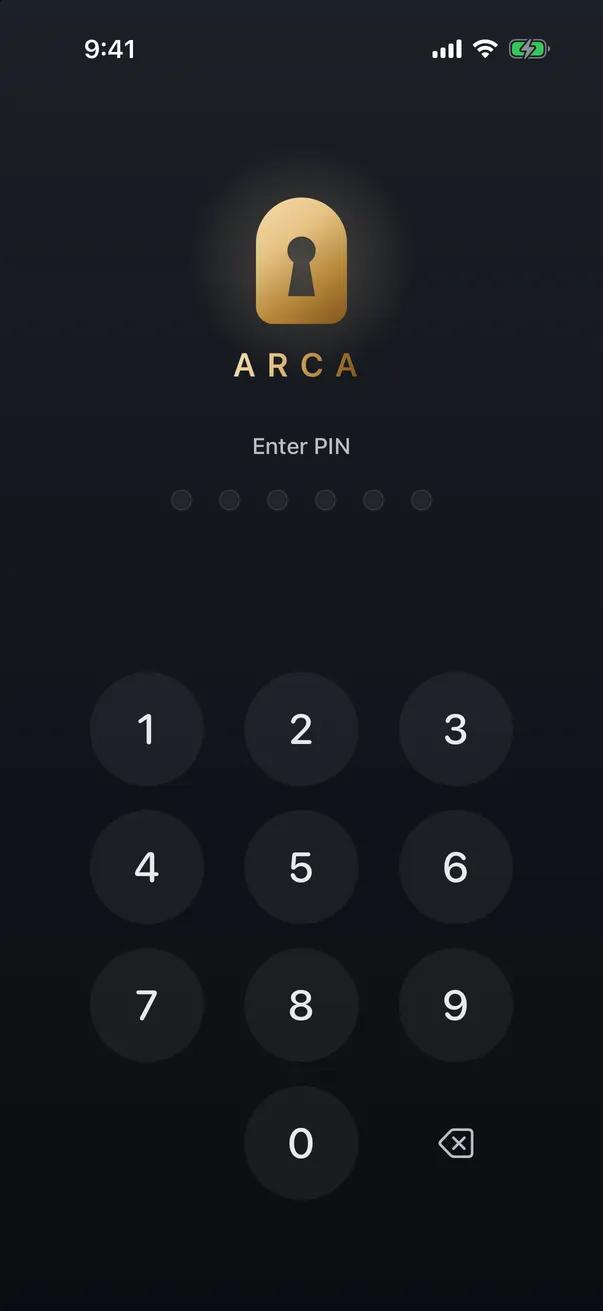
An encrypted photo vault. Better when what you’re protecting really is an image and you want it out of the library without leaving the phone. A separate PIN means handing over an unlocked phone doesn’t hand over the documents.
Apple Wallet, where it applies. Some US states support driver’s licences and state IDs in Wallet, and Apple has added a passport-based digital ID for certain domestic uses. Availability varies by region and by what you’re trying to do, so it won’t cover everyone. Where it does apply it’s purpose-built, and a proper digital ID beats a photograph of a document.
What all three have in common is that the file stops being an ordinary photo. It’s no longer in the grid you scroll past in company, no longer readable by apps with library access, and no longer findable by searching for text.
How to clear them out properly
Ten minutes, in this order.
- Search your library for the obvious words: passport, licence, card, insurance, and your own name. The text-recognition feature that creates the exposure also makes the cleanup fast.
- Sort the results into the three categories above.
- Move the keepers into whichever protected place you chose, and open one to confirm it actually arrived and is readable.
- Delete the originals from Photos.
- Empty Recently Deleted. Otherwise everything you just did is undone for thirty days. There’s more detail in how to permanently delete photos from your iPhone.
- Audit your photo permissions while you’re at it. Settings, then Privacy and Security, then Photos. Most apps need limited access at most, and this is covered properly in which apps can see your iPhone photos.
- Check your sent messages and email for documents you shared, and delete your copies where you can. It won’t retrieve theirs, but it shortens your own trail.
Step six is the one with the longest-lasting benefit, and it’s the one everyone skips.
Where Arca fits
For the documents in the keep-but-protect group, Arca does the specific job of getting them out of the photo library without sending them anywhere.
Photos you move in are encrypted individually with AES-256-GCM, and the key is derived from your PIN using Argon2id, a deliberately slow function that makes guessing that PIN expensive rather than instant. Everything stays in the app’s container on your device. Arca does not automatically upload your vault, so we hold no hosted copy of that library. Purchases, diagnostics, and optional link downloads are separate network services. If you might ever be pressured to unlock, there’s a decoy vault. The full model is on our security page.
The limits, stated plainly. Arca protects the photos you actually move into it, so a passport photo still sitting in your camera roll is exactly as exposed as it was this morning. It protects them at rest, not while the vault is open in front of someone. And because we hold no recovery key, we can’t recover anything if you forget your PIN, so keep your own backup of anything you can’t replace.
You don’t need to panic about the photo of your passport. You just need to put it somewhere that isn’t three swipes from a picture of your lunch.
Get Arca on the App Store to keep your private photos encrypted with AES-256-GCM on your device, with no automatic vault upload.
Frequently asked questions
Is it actually dangerous to have a photo of your passport on your phone? +
Dangerous overstates it, but it's a genuine liability worth fixing. Your iPhone's storage is encrypted and a thief who doesn't know your passcode can't read it. The realistic exposure is more ordinary — someone using your unlocked phone, an app you granted full library access to, or picking the wrong photo when sharing. Those are the paths worth closing, and none of them require a sophisticated attacker.
Can someone search my photos for the word passport? +
On a recent iPhone, yes, in a sense. iOS reads text inside images, so searching Photos for a word that appears on a document can surface that document. This is a useful feature most of the time. It also means an ID photo isn't buried in a thousand pictures the way people assume — anyone with your unlocked phone can find it in one search.
Where should I keep a copy of my passport if I need one when travelling? +
Keep it, just not loose in the camera roll. A password manager's secure notes or file attachments handles documents well and is encrypted. An encrypted photo vault works for images specifically. Where a supported digital ID exists in Apple Wallet, that's purpose-built and better than a photo. Whatever you choose, delete the original from Photos afterwards, including Recently Deleted.
Keep reading

Privacy
Do Live Photos Record Sound?
A Live Photo is a still image plus about three seconds of video, and that clip carries an audio track. Here's what travels when you share one, and how to send just the picture.
Privacy
Your Photo Widget Is Showing People Your Photos
A Photos widget picks from your whole library and puts the result on a screen anyone can see from across a table. Here's how to narrow what it draws from.
Privacy
What Can Someone See If They Know Your iPhone Passcode?
Your iPhone passcode is a master key, not just a screen lock. Here's exactly what it opens, what Stolen Device Protection does and doesn't cover, and the one lock a passcode never opens.
Your photos. Truly private.
Keep your photos in an encrypted vault on your iPhone, with no Arca account or automatic vault upload.
Free to download · iPhone · iOS 18+