
Guides
Why a Downloaded Video Still Has a Watermark
Three different things get called a watermark, and only two of them can ever come off. Here is how to tell which one you are looking at before you go hunting for a tool that removes it.
A downloader cannot remove a watermark that is already part of the picture. Three separate things get called a watermark: one the creator burned in before uploading, one the platform stamped on its own export, and one the downloader added itself. Only the last two are avoidable, and only by changing how you get the file.
Three places a watermark comes from
The creator put it there. A handle, a logo, or an editing app’s free-tier stamp gets added before the video is ever uploaded. By the time anyone can watch it, that mark is made of the same pixels as the rest of the frame.
The platform stamped it. TikTok is the well-known case: save a video through the app’s own menu and it can come back carrying a moving username overlay that was not in the uploaded file.
The tool added it. Some free downloader sites brand what they hand you, or keep the unbranded version behind a payment.
Which ones actually come off
| Where it came from | When you see it | Can it be removed? |
|---|---|---|
| Creator burned it in | Every copy, everywhere | Not without cropping or re-encoding |
| Platform stamped the export | Only via the in-app save | Yes, by fetching the stream instead |
| Downloader branded the file | Only with that tool | Yes, by using a different one |
So the question worth asking is which of the three you are looking at. Two are solved by taking a different route to the same file. The third is not solved at all.
Sometimes “no watermark” advertises nothing
YouTube does not add a watermark. Any logo you see in a YouTube video was burned in by whoever made it, which means a downloader promising watermark-free YouTube files is promising the absence of a problem it did not solve. A page willing to take credit for that will take credit for other things too, which is the instinct behind are free video downloader sites safe. The Shorts page says as much plainly.
On TikTok the claim means something, because there the platform really does stamp its own export, and fetching the stream avoids it.
What removal costs
There are two ways to take a burned-in mark out and both charge you. Cropping cuts it out of the frame, so you lose picture on that edge and the video no longer matches the composition anyone else sees. Blurring or patching means decoding the video, painting over the area, and encoding it again, which is why re-encoded copies look softer.
The mark is usually attribution. Save what you have the right to save: your own uploads, content a platform’s tools are happy to hand you, public posts you want to watch offline. Platform terms still apply to you. Stripping somebody’s handle off their work to post it as yours is the one case this article is not written for.
Where Arca fits
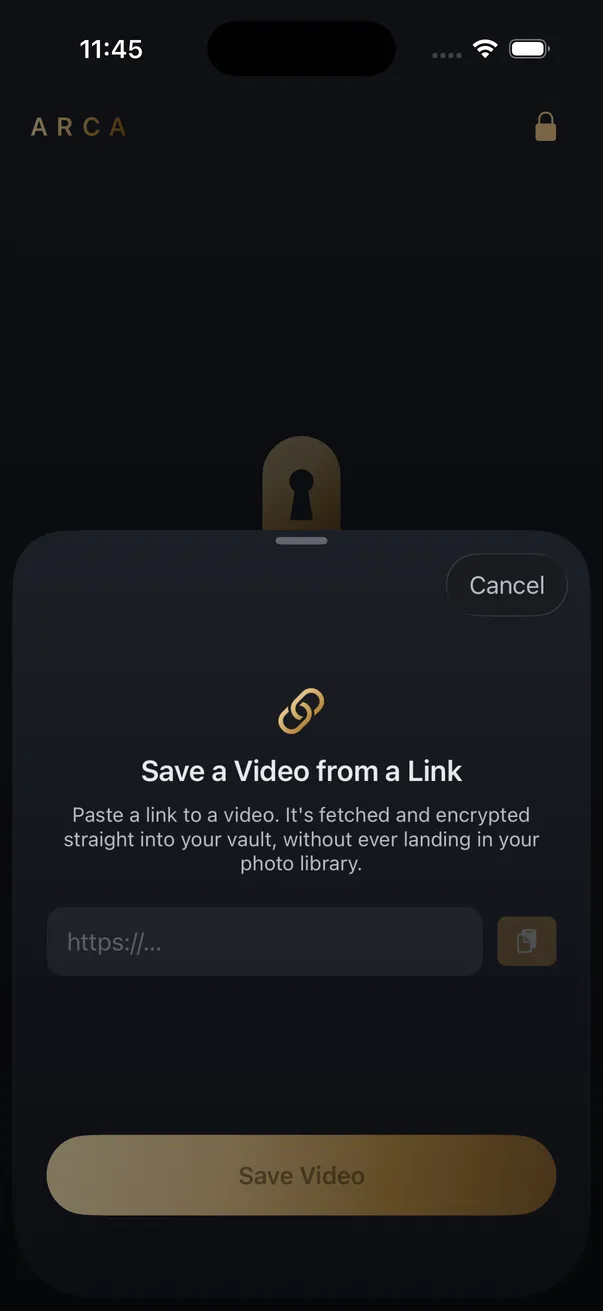
Arca takes a link, fetches the video, and writes it straight into an encrypted vault without passing through your camera roll. Nothing is re-encoded, nothing is cropped, and nothing is stamped on the way in. Files are encrypted on the device with AES-256-GCM under a key derived from your PIN with Argon2id, Arca does not host your vault library, and a decoy vault opens with a second PIN. The security page has the details.
The honest limit is symmetrical: adding nothing means removing nothing. A video that arrives with the creator’s logo in it keeps the creator’s logo. The ordinary caveats hold too. Forget your PIN and the files are gone, and encryption protects a vault at rest rather than one already open in front of somebody.
Get Arca on the App Store to save videos from a link straight into an encrypted vault.
Frequently asked questions
Can any app remove a watermark from a video? +
Not without editing the video. A watermark burned into the frames is made of the same pixels as everything else, so removing it means cropping it out of shot or painting over it, and either one re-encodes the file. What you get back is a smaller or slightly softer video. Downloading and editing are separate jobs, and no downloader does the second one.
Why did the same video download clean for someone else? +
Almost always because they took a different route to the file. Saving through a platform's own share menu can hand you a copy stamped on the way out, while fetching the video stream gives you the file as uploaded. Same video, two different sources, two different results.
Does saving a video from a link add a watermark? +
It should not. A tool that fetches the stream and writes it to disk has no reason to touch the picture at all. Some free downloader sites do brand their output, or hold a clean copy behind a payment, but that is a business decision rather than a technical necessity.
Keep reading
Guides
Is a Reels Downloader App Safe? What to Check First
Most Reels downloader apps are not malware. The risk is in what they ask for: your Instagram login, full Photos access, a weekly subscription. Here is what to check on the App Store page before you install one.

Comparisons
Same Clip, Four Platforms: Which Copy Should You Save?
One clip, four places, four different files. The Reel comes back at 1080x1920, the TikTok it was reposted from at 576x1024, the Facebook copy usually at 720p. Where you copy the link from decides what you keep.
Security
Is a GitHub Video Downloader Safe to Use?
Safer than a random downloader site on one specific axis, because the script runs on your own machine and your link never passes through anyone else's server. The risk does not vanish, though. It moves to which repository you installed, and to the fact that none of it runs on a phone.
Your photos. Truly private.
Keep your photos in an encrypted vault on your iPhone, with no Arca account or automatic vault upload.
Free to download · iPhone · iOS 18+