
Privacy
Can Someone Recover Deleted Photos From Your iPhone?
Deleting a photo rarely makes it instantly unrecoverable. For 30 days it sits in Recently Deleted, and copies can linger in backups and iCloud. Here is what is really recoverable, and what is not.
Deleting a photo on an iPhone does not instantly erase it. For 30 days it sits in the Recently Deleted album, fully recoverable by anyone who can unlock your phone. After that it leaves your library for good, but copies can still survive in iCloud backups, computer backups, and synced devices. Whether a deleted photo can come back depends entirely on those leftover copies.
Where a “deleted” photo actually goes
Tapping the trash icon does not wipe a photo. It moves it. On an iPhone, deleted photos and videos go straight to the Recently Deleted album, where they wait for 30 days before the system clears them out. During that month the photo is completely intact and one tap away from being restored.
This is a sensible safety net, because most deletions are accidents. But it also means “deleted” and “gone” are two different states separated by a month. For an ordinary photo that gap does not matter. For a sensitive one, it is the difference between thinking a picture is gone and it actually being gone.
There is a second layer underneath. When the 30 days are up, the photo is removed from your library and the storage it used is marked as free space. The data is not scrubbed at that instant; it simply becomes available to be overwritten by whatever you save next. On modern iPhones, which encrypt their storage, that leftover data is also encrypted and becomes very hard to retrieve once the system reuses the space.
The 30-day window: recoverable by you, or by anyone with your phone
While a photo is in Recently Deleted, restoring it is trivial. That cuts both ways.
- You can get it back easily. Open Photos, go to Recently Deleted, select the item, and tap Recover. Nothing is lost during the 30 days.
- So can anyone holding your unlocked phone. A deleted photo is not hidden from someone snooping through your phone; it is sitting in a labeled album.
- iOS does add one guard. Since iOS 16, the Recently Deleted album is locked behind Face ID or Touch ID by default, so a casual snoop cannot just open it. That helps, but it is the same unlock as the rest of your phone, so it does not stop someone who already knows your passcode.
The takeaway is simple. If you delete something genuinely private and want it gone before that month is up, delete it a second time from inside Recently Deleted. That empties it from the album immediately and starts the real clock.
The copies you forgot about
Here is the part that surprises people. Even after you clear a photo from your phone, the same image can quietly live on in several other places, because over its life it was copied more times than you remember.
| Where a copy can survive | Still there after you delete? | Where to check |
|---|---|---|
| Recently Deleted album | Yes, for 30 days | Photos, then Recently Deleted |
| Other devices on iCloud Photos | Removed everywhere within ~30 days | Photos on your iPad or Mac |
| iCloud Backup | Yes, inside older backups | Settings, your name, iCloud, Manage Account Storage |
| Computer backup (Finder or iTunes) | Yes, if you ever backed up | The backup folder on your Mac or PC |
| Messages and shared albums | Yes, anything you sent stays | Search Messages and Shared Albums |
| Third-party app caches | Sometimes | Inside editing or cloud apps you used |
This is usually where a “deleted” photo really comes back from. Not a forensic lab, but an iCloud backup from two months ago, or a copy you once sent in a message, or the same library still synced to an old iPad in a drawer. If you covered backups already, our guide on backing up private photos without trusting the cloud explains how to keep those copies under your control in the first place.
After 30 days: how recoverable is it, really?
Once a photo is purged from Recently Deleted and no backup holds it, can specialized software dig it back out of the phone’s storage? On a modern iPhone, usually not.
The recovery apps that advertise miracles are mostly doing something more modest. They read what is still technically present: items in Recently Deleted, or photos inside a backup file you hand them. That is useful for genuine accidents, but it is not the same as reconstructing a photo that was fully purged. Apple’s storage encryption and the way the system reclaims space mean that once a deleted photo’s storage is reused, the data is effectively unrecoverable by consumer tools.
It is worth saying this plainly, because the fear usually runs the other way. People picture a technician pulling deleted images straight off a chip, the way it looks in a crime drama. For older or unencrypted devices there was some truth to that, but a current iPhone encrypts everything at rest, so erased data without the key is just noise. The dramatic lab recovery is the rare exception; the boring, forgotten backup is the everyday reality.
So the honest picture is reassuring in one way and uncomfortable in another. The flash memory itself is not your weak point. Your weak point is every copy that escaped the phone: the backups, the synced devices, the messages, the cloud apps. Deletion handles the original. It does nothing about the duplicates.
So can someone recover your deleted photos?
Put the pieces together and the answer is clear, if a little unsatisfying.
- Within 30 days: yes, easily, by anyone who can unlock your phone. Delete it again from Recently Deleted to close that window.
- From a backup or synced device: yes, for as long as that copy exists, no matter how long ago you deleted the original.
- From a modern iPhone’s storage after the data is overwritten: realistically no, not with consumer tools.
The threat that actually loses people their privacy is almost never a forensic recovery of erased flash. It is the forgotten copy. Which points at a better strategy than deleting carefully: not creating uncontrolled copies of sensitive photos in the first place.
How to make a sensitive photo actually unrecoverable
If you want one specific photo genuinely gone, deletion alone is not enough; you have to chase the copies, and the order matters.
- Delete it twice. Remove it from your library, then open Recently Deleted and delete it again so it does not linger there for 30 days.
- Check your other devices. If iCloud Photos is on, the deletion syncs everywhere, but confirm it actually cleared on your iPad or Mac rather than assuming it did.
- Deal with backups. An existing iCloud or computer backup may still hold the photo. Because you usually cannot surgically remove a single image from a backup, the practical fix is to let a fresh backup replace the old one over time.
- Clear the side copies. Search Messages for anything you sent, check Shared Albums, and look inside any editing or cloud app that ever touched the photo.
Done in that order, the photo is removed from the places it could realistically be recovered from. It is far more work than tapping a trash can, which is precisely why deletion makes a weak privacy tool for anything that genuinely matters.
A more reliable approach than deleting
Deletion is a cleanup tool, not a privacy tool. It removes one copy and leaves you trusting that no others exist. For photos you actually need to keep private, the sturdier model is to control the copy from the start, so that even a leftover version is useless to anyone who finds it.
That is the idea Arca is built on, and it is worth being precise about what it does and does not do:
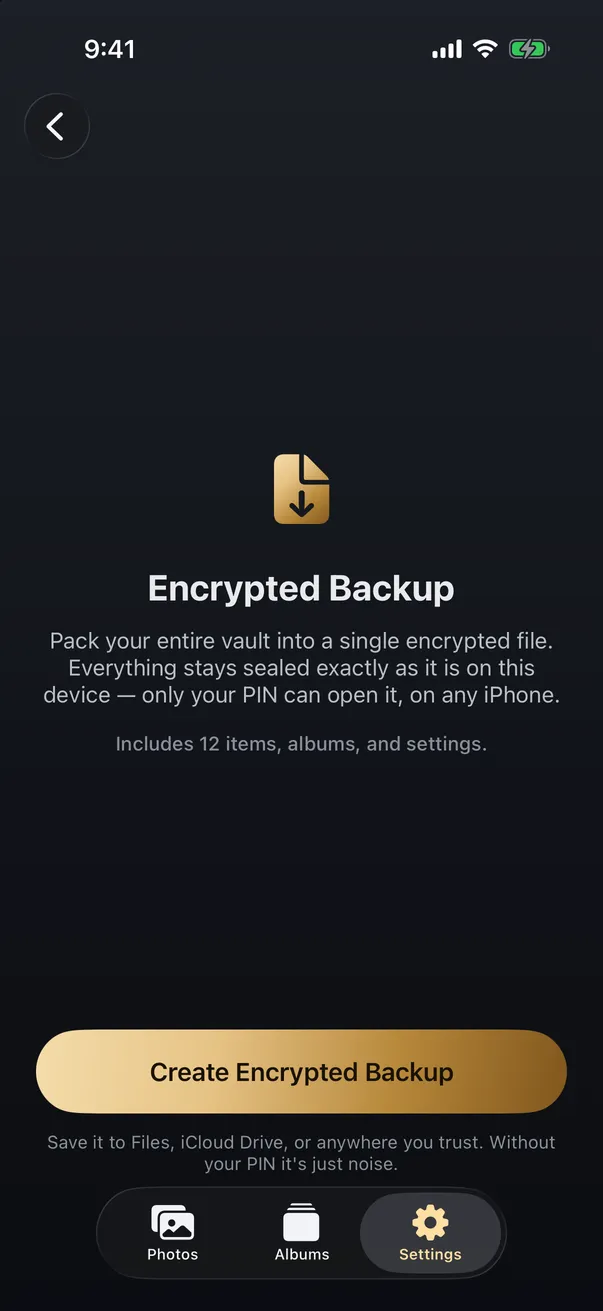
- Encrypted from the start. Photos you add to Arca are encrypted on the device with AES-256-GCM, with the key derived from your passphrase using Argon2id. A copy of that data, sitting in storage or a backup, is ciphertext, not a viewable image.
- Local vault storage. Arca does not automatically upload your library. We hold no hosted copy of your vault or recovery key. If you want the reasoning behind that design, our explainer on zero-knowledge encryption walks through it.
- A separate lock. The vault opens with its own passphrase, not your device passcode, so it is not exposed just because the phone is unlocked, much like the broader case for protecting photos if your phone is lost or stolen.
What it does not do, plainly: it cannot reach back and scrub copies that already escaped to iCloud, old backups, or apps you shared with before you started using it. It protects what you put in it going forward, and it is no substitute for cleaning up the duplicates that are already out there. Encryption changes the copies you make from now on; it cannot rewrite the past.
Deleting a photo is the right move most of the time, and on a modern iPhone it is more final than people fear. But “delete and hope” is a fragile plan for anything truly sensitive. Keeping those photos encrypted from the moment they exist is simply a more honest answer to the question of whether anyone can get them back. The goal is not to delete more carefully, but to need careful deletion less, because the photos that mattered were never sitting in plain view waiting to be recovered.
Frequently asked questions
Can permanently deleted photos be recovered from an iPhone? +
Once a photo leaves the Recently Deleted album after 30 days, it cannot be pulled back from the phone's normal photo library, and on a modern iPhone the underlying data is very hard to recover. The realistic way it comes back is from a copy that still exists somewhere else, such as an iCloud or computer backup made before you deleted it.
Do deleted photos stay in iCloud? +
When iCloud Photos is on, deleting a photo removes it from every signed-in device and from iCloud after the 30-day Recently Deleted window. The catch is iCloud Backup, which is separate. An older device backup can still contain photos you deleted later, so the photo is gone from your library but preserved inside a backup until that backup is replaced.
Do third-party photo recovery apps actually work? +
Mostly they recover what is still technically present, such as items in Recently Deleted or inside a backup you point them at. They are far less able to resurrect a photo that was fully purged from a modern, encrypted iPhone. Treat dramatic recovery claims with caution; if the only copy was truly erased, no app reliably brings it back.
Keep reading
Privacy
What Happens to Your Photos If You Delete a Photo Vault App?
The app's data goes with the app. Vault photos live in the app's own container, not in Photos, so removing the app removes them. Whether you get them back depends on something you did before you tapped delete.
Guides
How to Permanently Delete Photos From Your iPhone
Deleting a photo doesn't remove it right away, and even after it's gone from your phone, copies can linger in iCloud, backups, and shared albums. Here's how to permanently delete a photo everywhere it actually lives.
Guides
How to Move Your Private Photos to a New iPhone
iCloud photos move themselves to a new iPhone, but that means they live in the cloud. Photos kept off the cloud, or in a vault, need a deliberate local move. Here's how to transfer private photos without exposing them.
Your photos. Truly private.
Keep your photos in an encrypted vault on your iPhone, with no Arca account or automatic vault upload.
Free to download · iPhone · iOS 18+